From product link to warehouse
Select an item
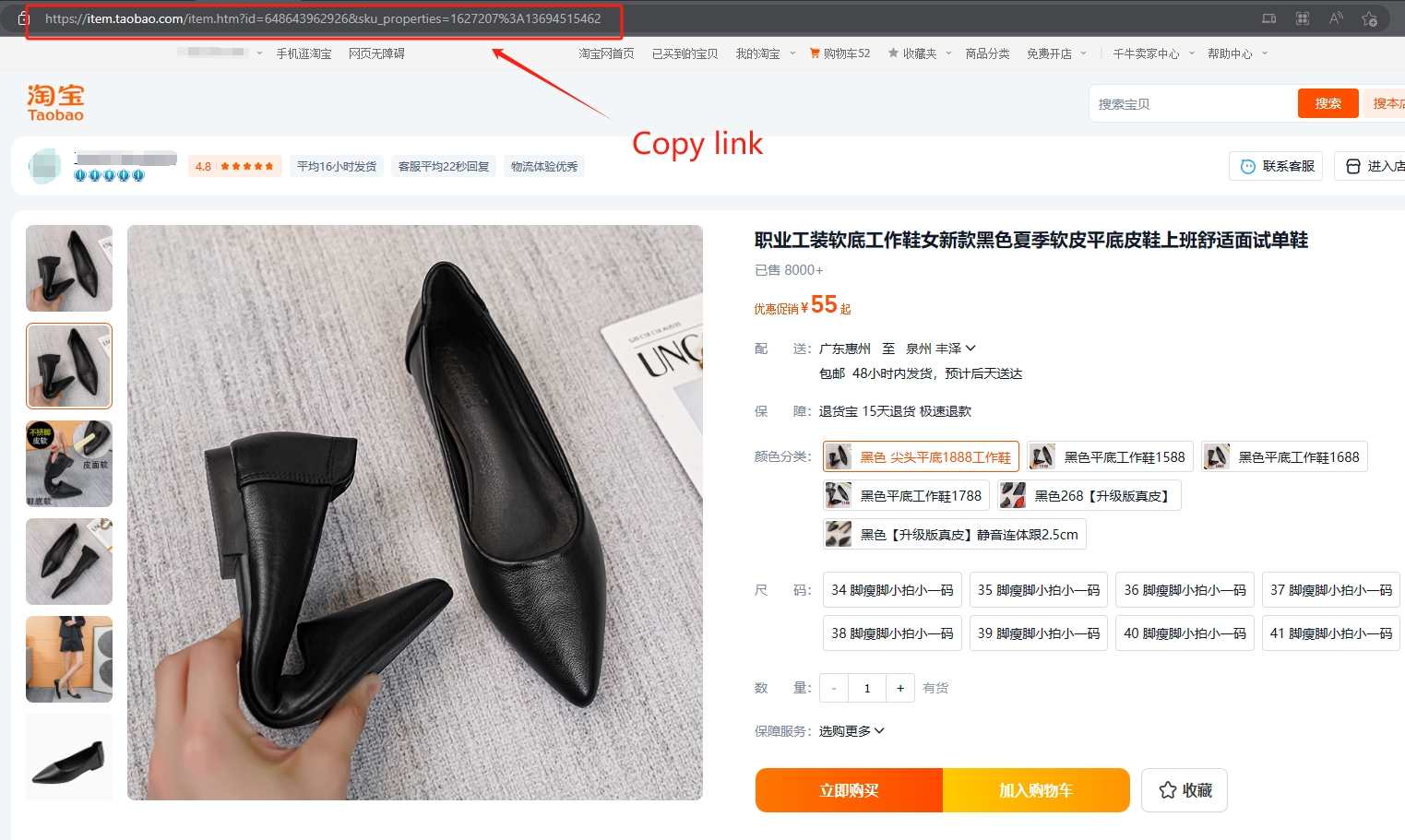
Use the LoveGoBuy.cc spreadsheet to discover items and compare the available product details. Open a product's buying link to continue on LoveGoBuy.com. If you are browsing Taobao, Tmall, 1688, or Weidian yourself, copy the full product link from your browser.
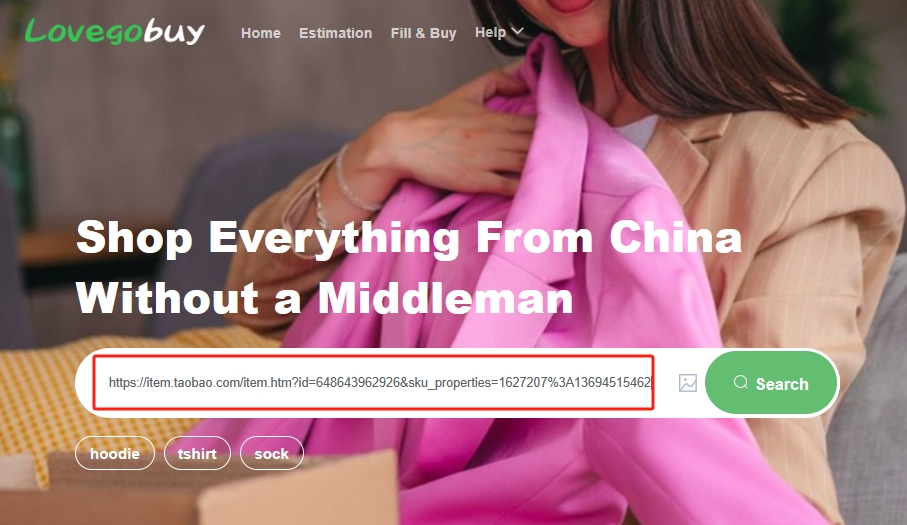
On LoveGoBuy.com, paste that link into its search bar and open the result. You can also try a supported buying link from another agent, or use the image-search control on LoveGoBuy.com to search with a product picture.
Check that the result matches the item you wanted before continuing. LoveGoBuy.cc's catalogue search helps you find listed products; the product-link and image-search actions in this walkthrough take place on LoveGoBuy.com.
 View larger ↗
 View larger ↗
Choose your options and submit an order
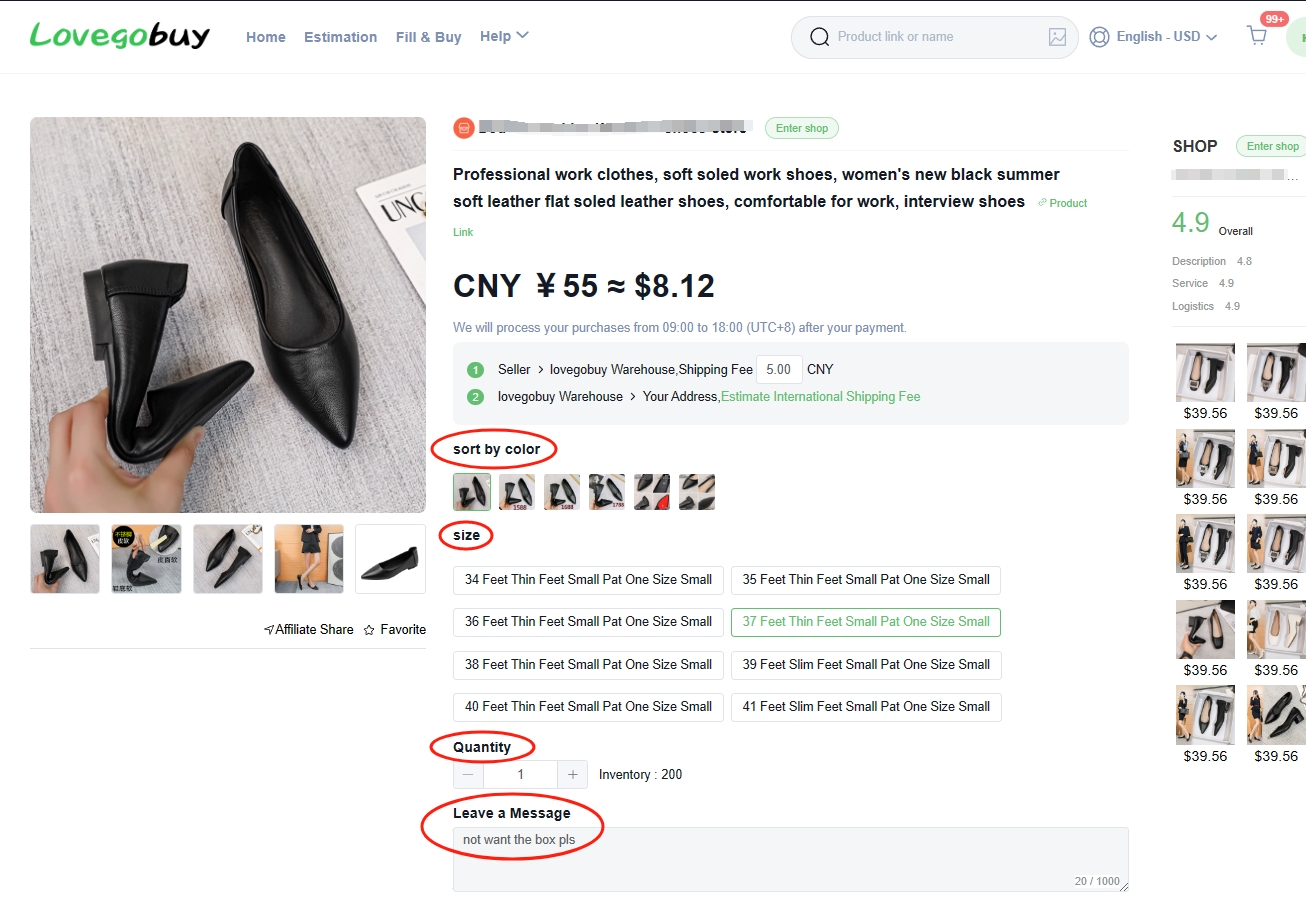
On the product page, choose the colour, size, and quantity you want. Read the seller's size information carefully; a familiar size label does not always mean the same measurements. Check the selected variant against the product pictures before adding it to your order.
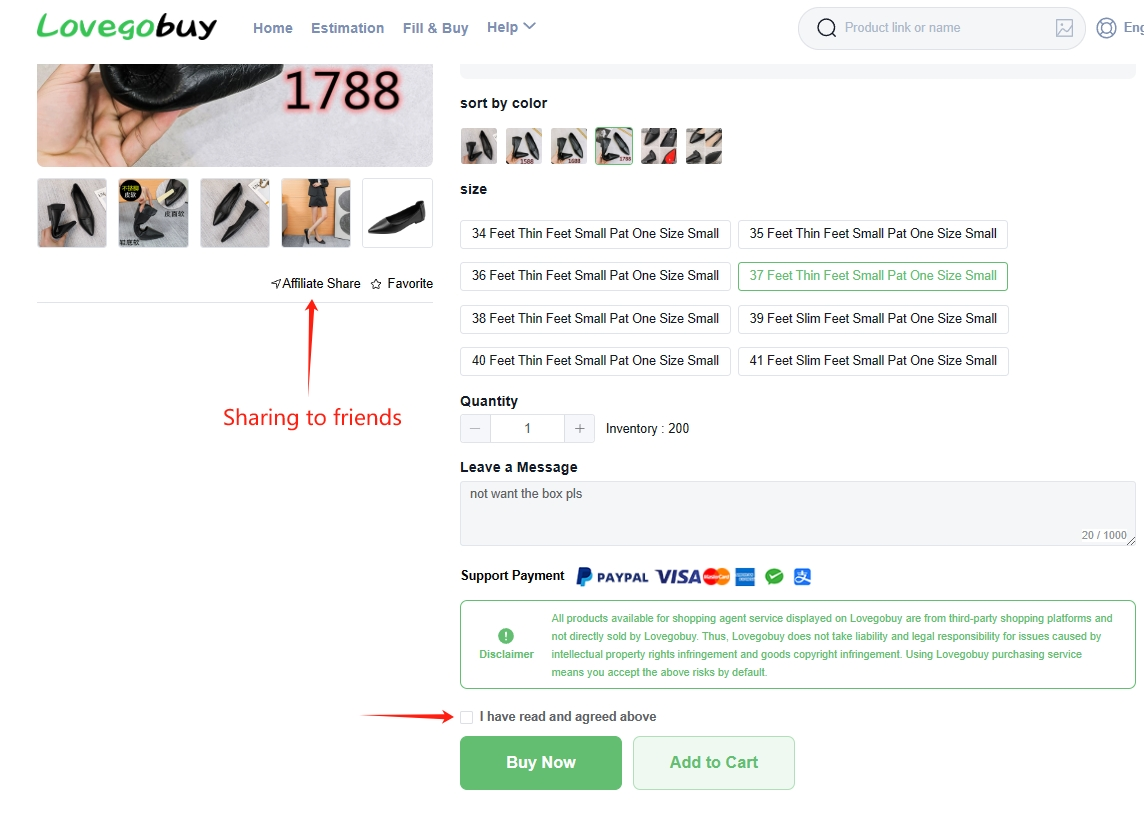
Use Leave a Message for relevant requests, such as a specific colour or a packaging preference. If a request is essential, confirm it with support instead of relying on an order note alone.
Review the product price and any domestic delivery charge shown. Read the displayed terms, then choose Add to Cart to continue shopping or Buy Now to proceed with this item. International shipping is handled later, after warehouse arrival.
 View larger ↗
 View larger ↗
Pay for your items
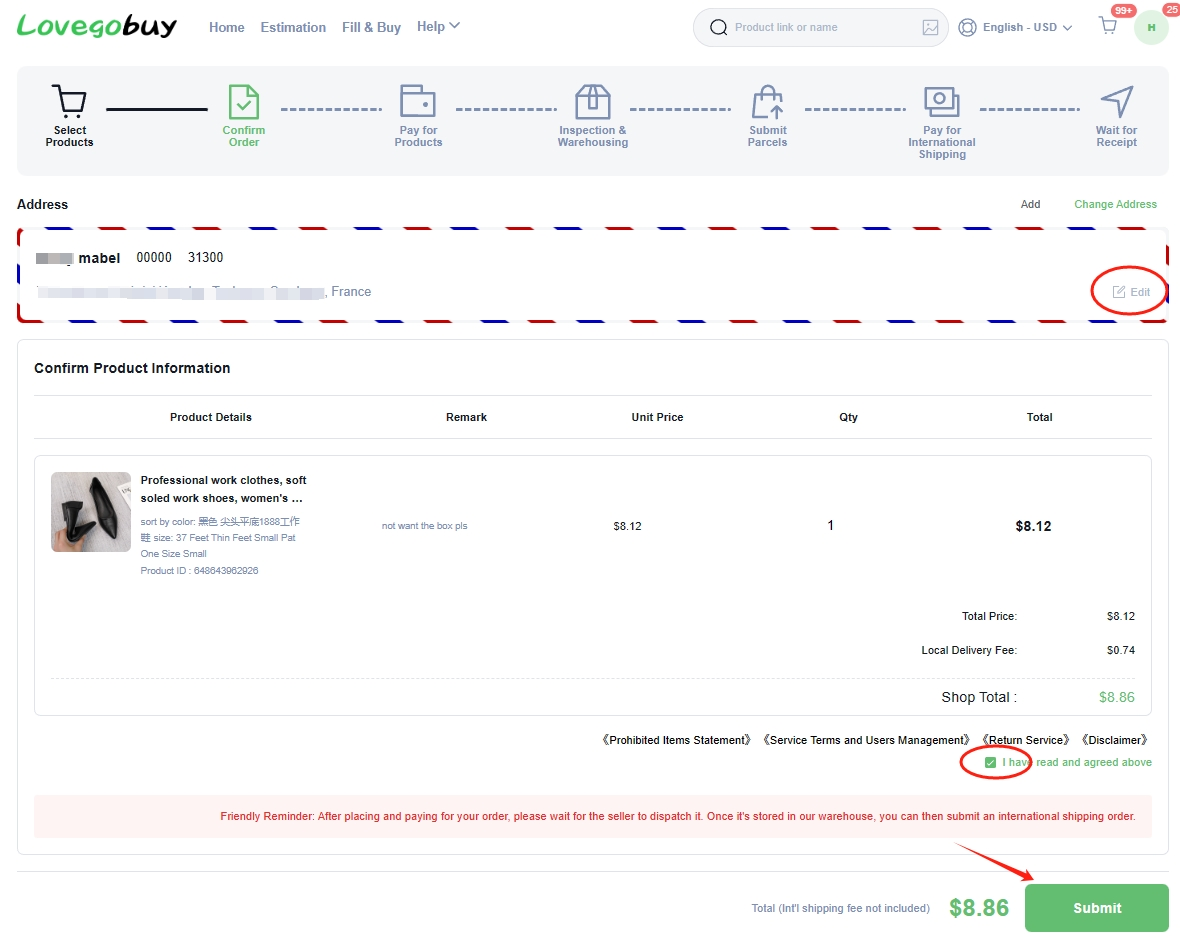
Review the order summary before submitting it. Check each variant, quantity, note, and charge, along with any address details requested. At this stage you are paying for the items and the charges displayed for that purchase; the international parcel payment comes later.
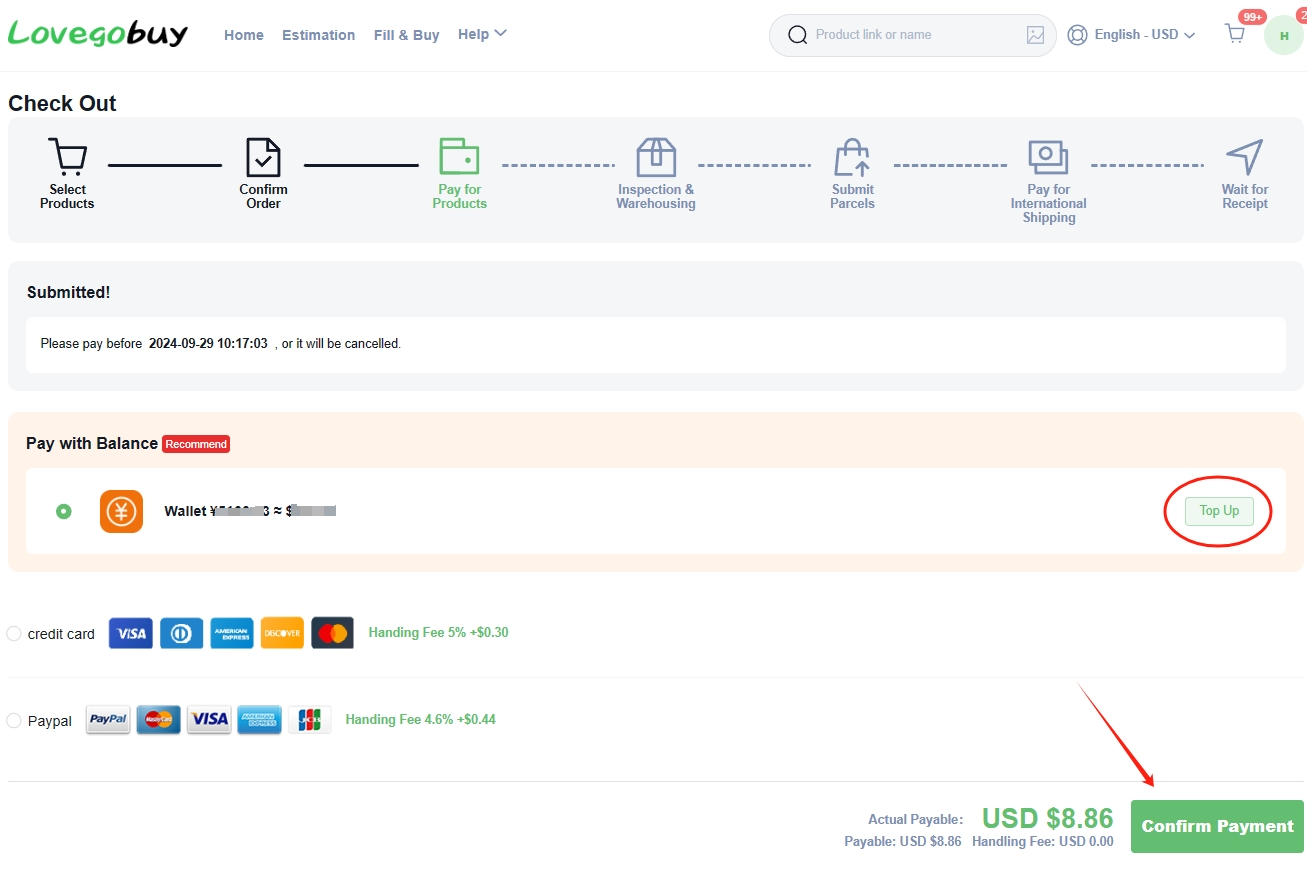
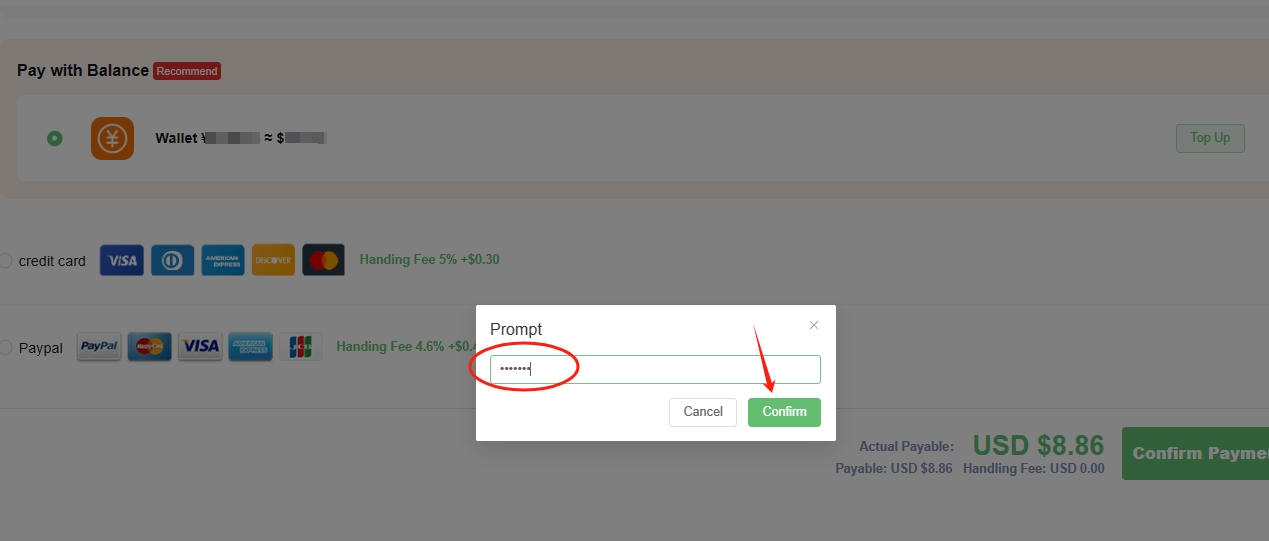
Choose an available payment method at checkout. If you select wallet balance, top up only if needed. Check the total and any payment-method fee in your current checkout, then follow the platform's confirmation instructions. Some wallet payments may request your payment password.
After paying, open User Center → Orders to confirm the order status. If payment is still processing, check the existing order before trying again. The amounts and payment options pictured below are examples.
 View larger ↗
 View larger ↗
 View larger ↗
LoveGoBuy purchases from the seller
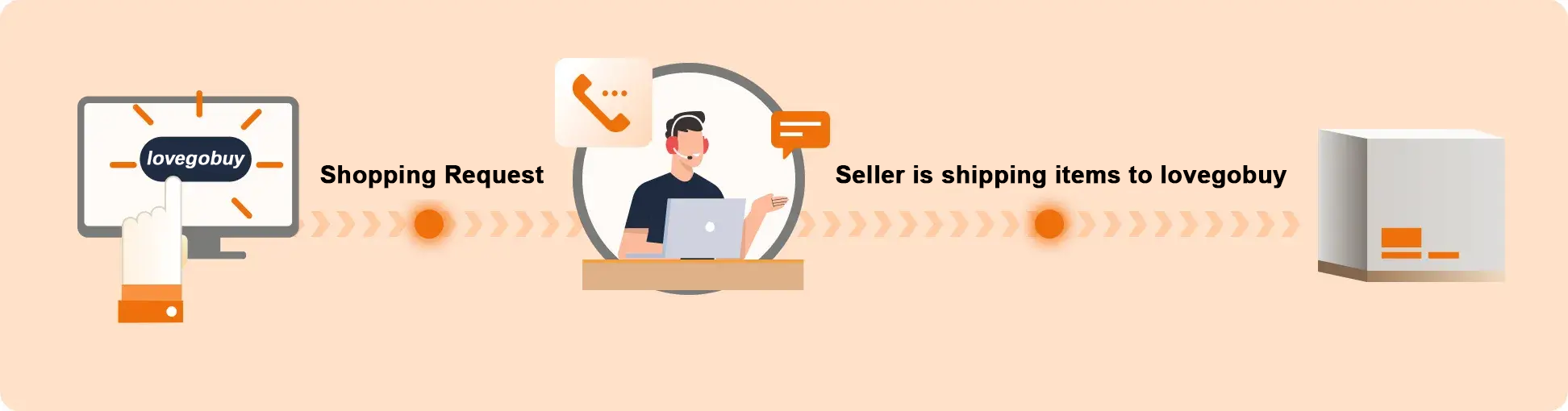
After payment, LoveGoBuy's purchasing team contacts the seller and places your order. The seller then prepares the item and sends it to the LoveGoBuy warehouse in China. Purchasing and seller dispatch are separate stages, so an order may pass through several status updates before warehouse arrival.
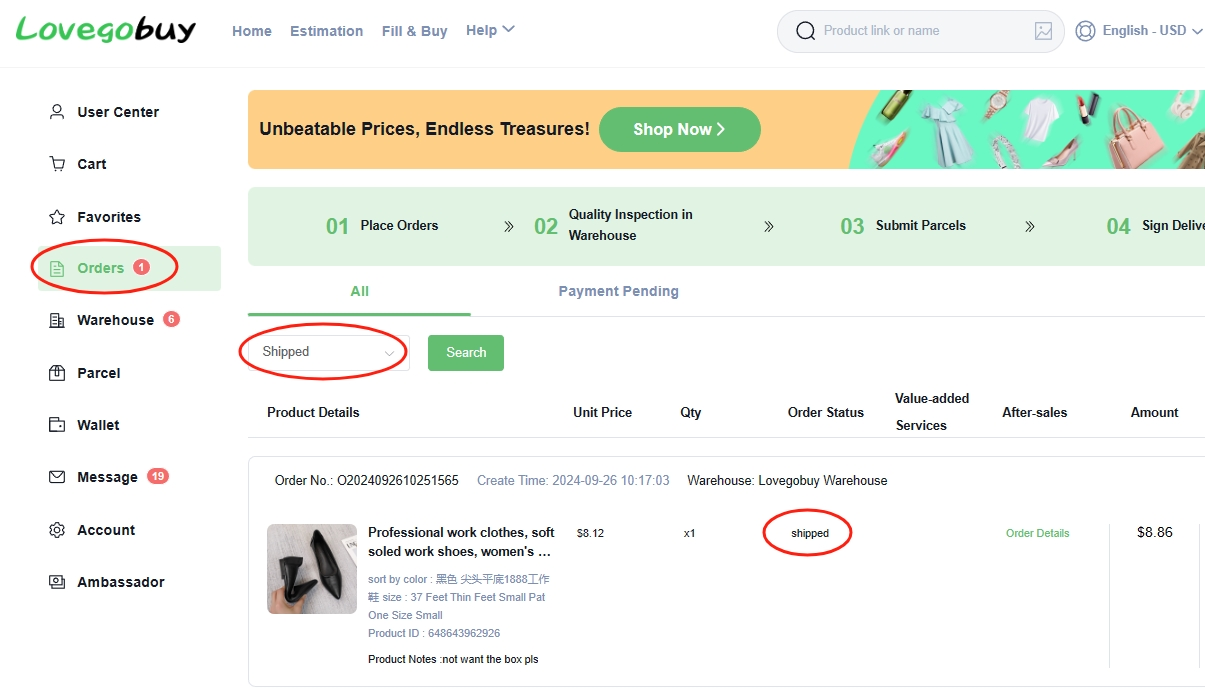
Open User Center → Orders to follow progress and check for messages about stock, variants, or additional information. Processing depends on working hours and seller availability; use your current order updates for the latest information.
In this stage, an order marked Shipped generally refers to the seller's domestic shipment to the warehouse. You will still need to review the stored item and submit an international parcel later.
 View larger ↗
 View larger ↗
Review QC photos and warehouse storage
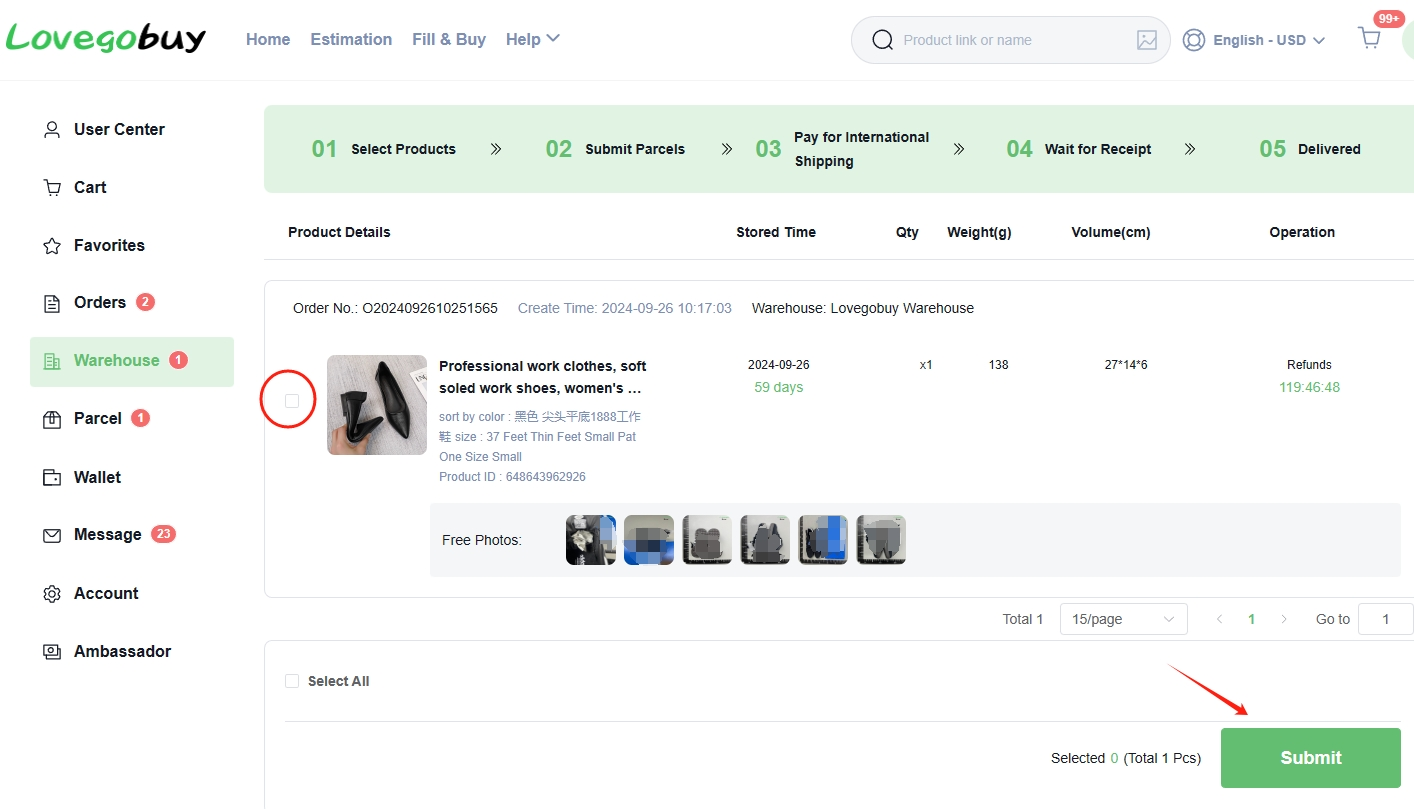
When your item reaches the warehouse, LoveGoBuy carries out its inspection and adds photos for you to review. Open User Center → Warehouse and find the item. Compare the photographs with your selected colour, size, and product details, and look for any visible issues before arranging international delivery.
If something looks wrong or a detail is unclear, contact support while the item is still in the warehouse. Check the applicable return or exchange conditions before making a request; available options depend on the order.
You can submit eligible stored items for shipping or wait for other purchases and send them together. Check the storage deadline in your account before waiting. Record the displayed weight and dimensions to help compare shipping options.
 View larger ↗
How to submit your parcel
Submit your items for international delivery
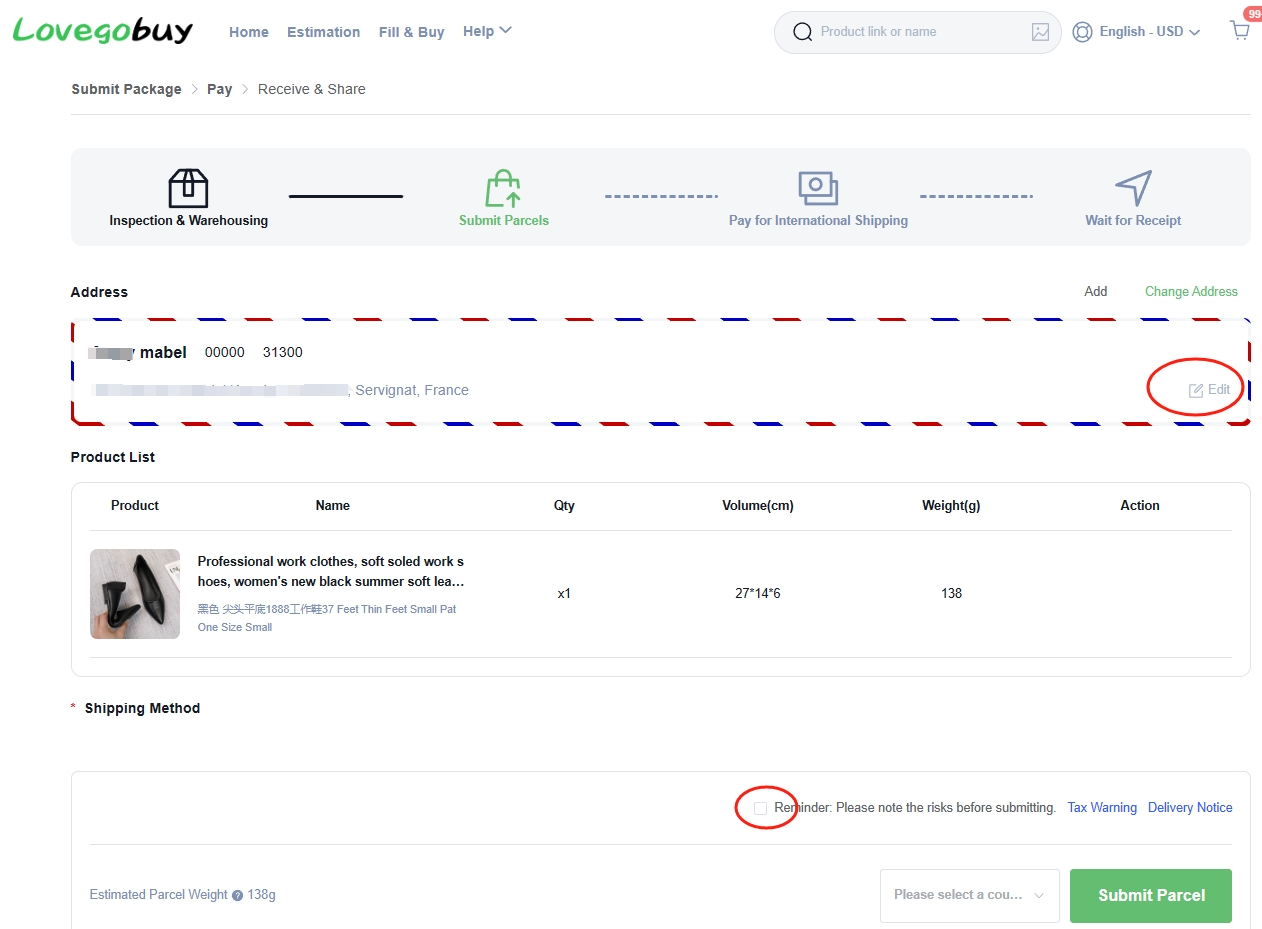
In Warehouse, select the items you want to send together and choose Submit. On the parcel page, review the item list and enter or confirm your delivery details, including the destination country, postcode, and contact information.
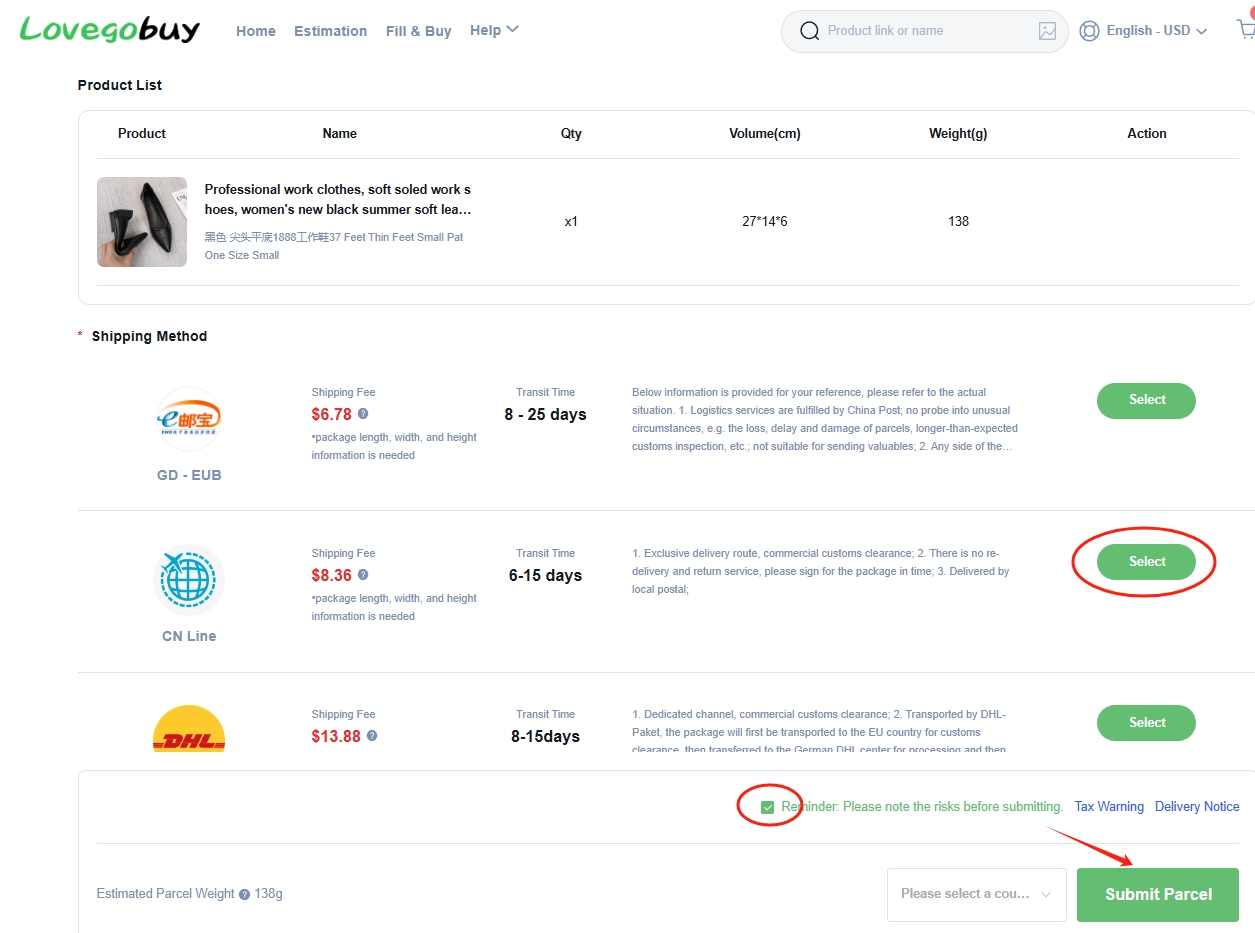
Compare the shipping routes available for your parcel. Read each route's weight and size limits, item restrictions, estimated transit time, and service notes. A route is useful only if it accepts your items and serves your address. Use the displayed estimate as a guide; final charges can depend on packed weight and dimensions.
Choose any packaging options you need, review the notices shown, and submit the parcel. Check every detail before proceeding to the separate international shipping payment.
 View larger ↗
 View larger ↗
Pay the international shipping fee
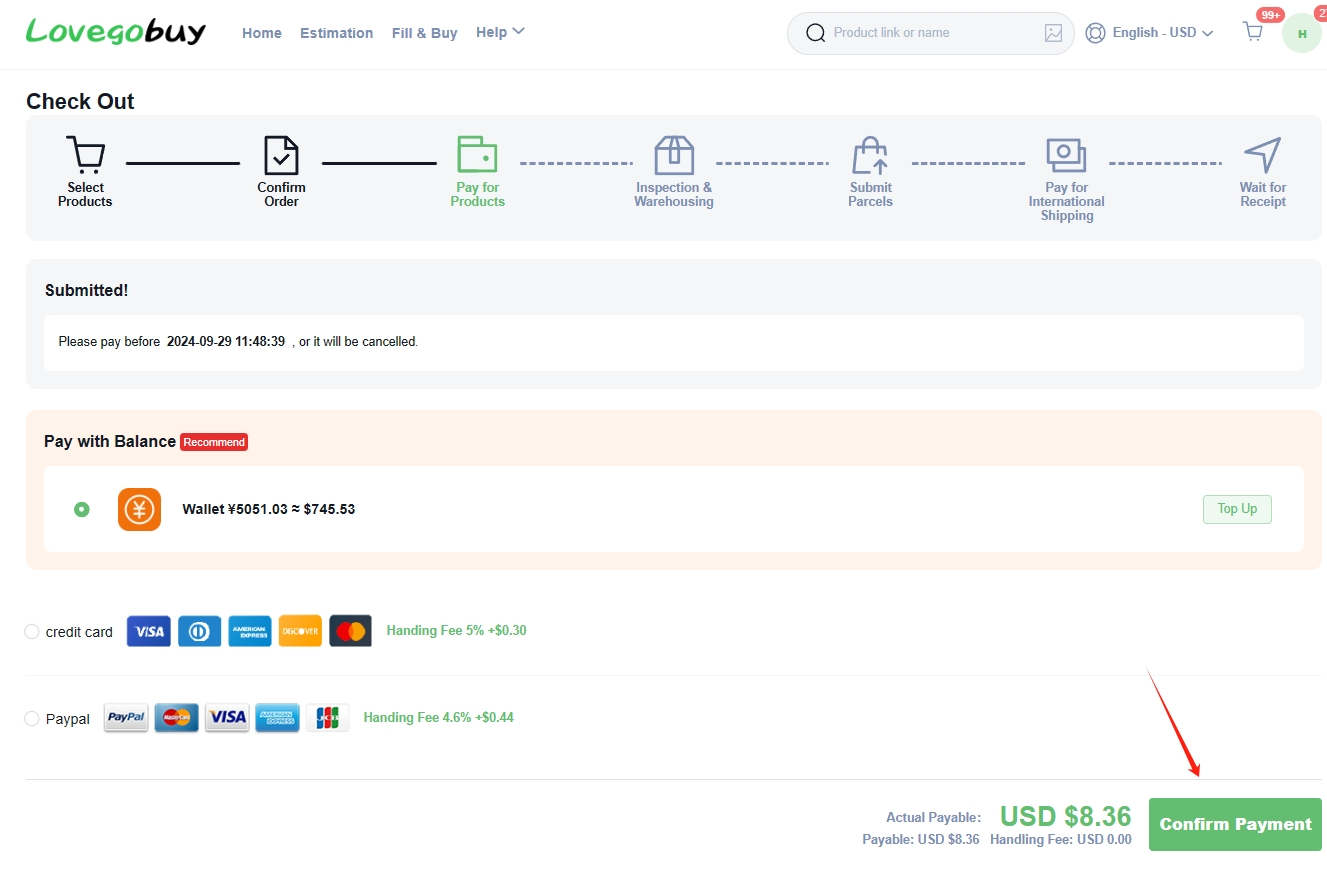
After submitting the parcel, open its payment page and review the shipping charge and any selected services. This is a separate payment from the item purchase in Step 3. Check that the parcel details and chosen route match what you intended to submit.
Select one of the payment methods offered in your account and review the final payable total, including any applicable payment fee. Complete the confirmation and then check the parcel status in User Center → Parcel or Parcels.
If the page still shows payment pending, check the payment record and parcel details before submitting another payment. Shipping prices in the screenshot belong to the example order; use your own parcel's current checkout amount when planning your budget.
 View larger ↗
LoveGoBuy prepares and dispatches your parcel
LoveGoBuy prepares the selected warehouse items for international delivery. This stage can include consolidating items, packing them, applying the requested packaging services, and recording the parcel's packed weight and dimensions before dispatch.
Follow the parcel status and read any messages in your account. If the platform requests an adjustment or additional information, open the parcel details and review the reason before responding. The packed parcel can differ from the combined item measurements used for an earlier estimate.
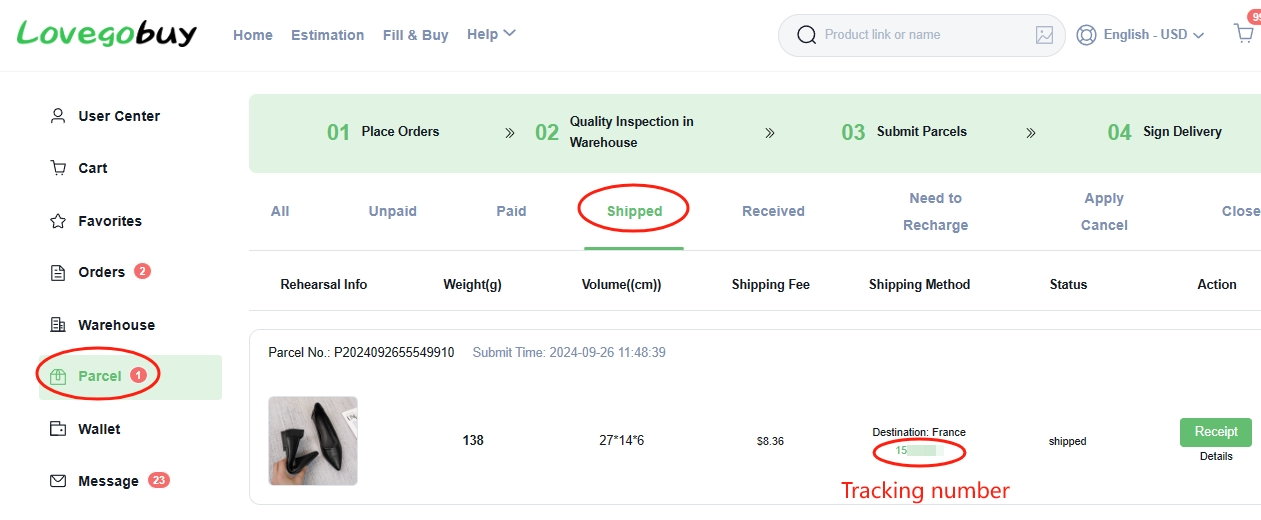
Once the parcel is dispatched, look for its shipping and tracking details in Parcel or Parcels. A tracking number may appear before the carrier records its first scan, so check the status history when following progress.
Track your parcel and receive your items
Open User Center → Parcel or Parcels, find your shipment, and open its details to view the tracking number and shipping progress. Follow the carrier updates as the parcel moves toward your destination.
Check for any delivery instructions or requests that need your attention. If progress appears unusual, use the parcel details when contacting LoveGoBuy support or the carrier. Transit estimates are guides, and tracking updates may not appear at every stage of the journey.
When the parcel arrives, inspect the packaging and compare the contents with your order. Keep the packaging and clear photographs if you need help with a delivery issue. Confirm receipt in your account only after you have received and checked the parcel.
 View larger ↗
Start with a product. Keep this guide handy.
Browse the spreadsheet, compare the listing and plan your total budget before placing an order.